Interview

Dress for a Tech Interview Without Overdoing Formality

Research the team and role, then choose modern professional pieces that look prepared without reading as corporate or ceremonial.

Smart casualAll season

Private by default

Your photos are handled in your account workspace and cleaned according to the stated retention rules.

Fast custom answers

Go from an outfit question to a practical style direction quickly.

Easy first step

Start with a clear brief, then preview key clothes when you are ready.

Personal style path

Move from advice to try-on to comparison without losing the decision context.

Tech Interview Outfit Guide: Professional without Looking Corporate | LookMate AI

Use the role, team, and company culture to set formality, then compare outfit color, silhouette, and overall direction before interview day.

Confirm the venue, timing, and dress code

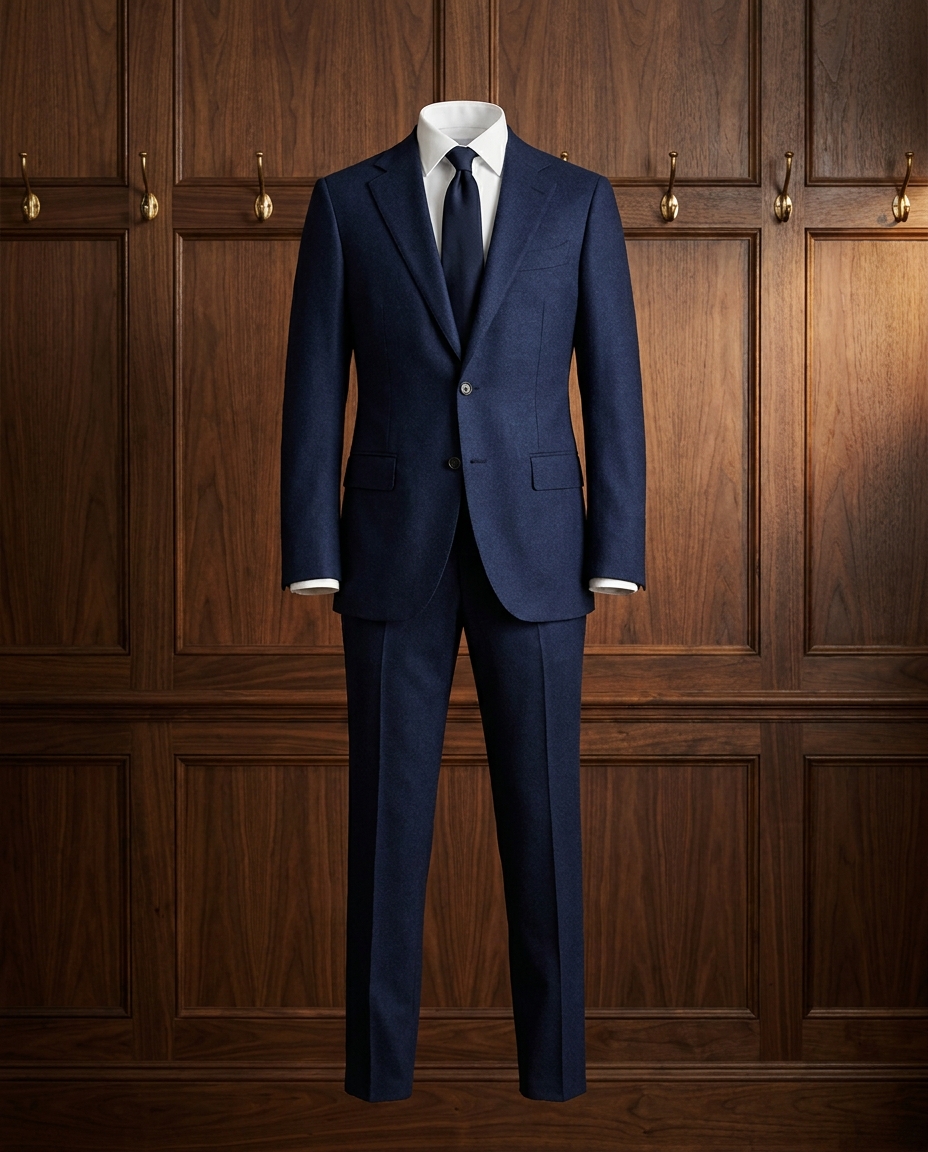
Research the team and role, then choose modern professional pieces that look prepared without reading as corporate or ceremonial. For interview, smart casual is the current formality cue, while all season affects fabric and outer layers. If the dress code is unclear, use the venue and schedule as clues or ask the host.

Build for the activities in the schedule

List the commuting, sitting, walking, photos, and temperature changes in the schedule before choosing top, bottom, outer layer, and shoes. A interview outfit should meet the smart casual cue without getting in the way of the day.

Confirm comfort with physical details

Check measurements, fabric composition, heel height, pockets, and care instructions. With clothes you own, sit, raise your arms, and walk in them. AI preview cannot judge fabric feel, stretch, weight, or long-wear comfort.

Compare the visual direction last

Keep two or three candidates for interview and use AI preview to compare color, silhouette, length impression, and overall direction. Apply the smart casual and all season requirements using the invitation, company rules, weather, and product details.
Plan the event requirements and schedule together

Solve formality, weather, and movement first, then choose the combination you would wear again.

Decision order

Start a interview outfit with the invitation, venue, and schedule. Use smart casual to set the formality, all season to plan fabric and layers, then keep your usual color and accessory preferences.

Dress for a Tech Interview Without Overdoing Formality does not require a new wardrobe. Find a top, bottom, or outer layer you own that meets the event requirements, then add only the piece that changes silhouette, weather coverage, or movement.

For online shopping, save two or three candidate images and use AI preview to compare color, silhouette, length impression, and overall direction. Use measurements, fabric details, and physical fitting to decide size, alterations, and comfort.

Frequently asked questions

Start with the wardrobe you own, then deal with preview and buying questions.

Should I check clothes or event information first?

Start with the interview brief, venue, weather, and schedule, then set the formality and layers. This removes options that are impractical or outside the rules.

What can AI preview help me compare?

It can compare color, silhouette, length impression, and overall direction. It cannot confirm sizing, fabric, construction, comfort, or compliance with venue rules.

What should I buy first on a limited budget?

Build a base from clothes you own, then add the piece that matters most to the day: weather protection, walkable shoes, a suitable top, or practical storage.

Start here

See this direction on your photo

Upload your photo and a clothing image to review color, silhouette, length impression, and overall direction, then check fit on the actual garment.