Why Clothes Look Good on the Model but Not on You
A practical way to compare model photos with your own proportions, garment measurements, and comfort before buying online.
Add a person photo and a garment image first. Create a free account only when you are ready to generate.
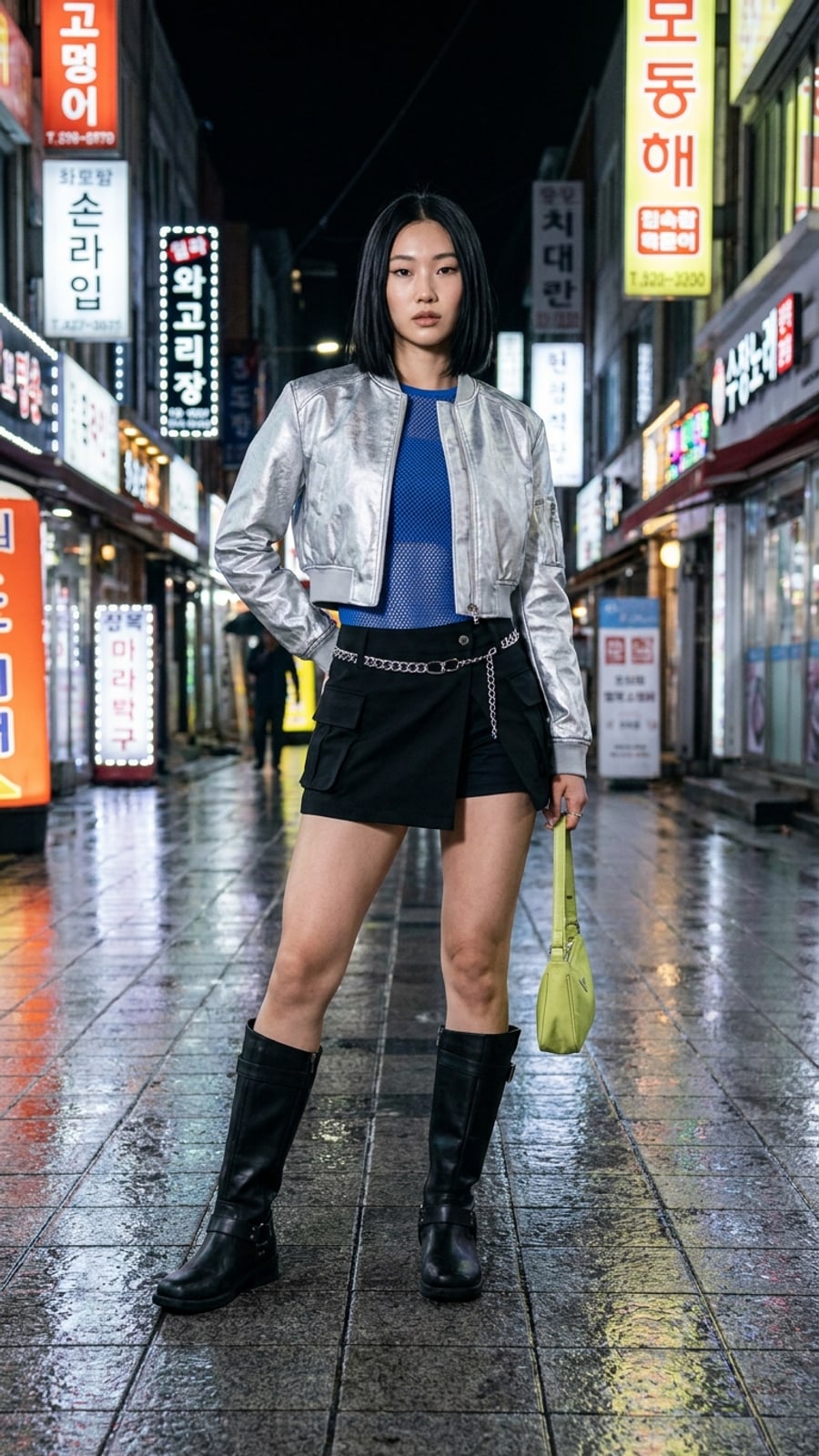
The Model Photo Is Not a Fit Promise
You see a shirt on a model and the decision feels easy. The shoulders look clean, the hem lands perfectly, and the color seems to make the whole outfit work. Then the parcel arrives. The shoulder drops farther than expected, the hem sits at an awkward point, or the fabric makes the same outfit feel much heavier.
This does not always mean the garment is bad. It means the product photo showed one person, one pose, one size, one styling choice, and one camera angle. Your proportions, posture, underlayers, and movement are different.
Separate the Three Questions
- Do I like the design? Check the color, neckline, pockets, texture, and overall direction.
- Will the proportions work on me? Compare shoulder width, body length, rise, sleeve length, and hem placement.
- Will it physically fit and feel comfortable? Check measurements, stretch, fabric weight, construction, and the retailer's return terms.
An AI preview can help with the second question. It cannot replace the size chart or answer the third one.
Compare Measurements, Not Labels
Do not rely on S, M, L, or a model's height. Measure a similar item you already own and like. Compare its chest, shoulder, sleeve, length, waist, rise, or inseam with the product page. This creates a more useful reference than a generic body-type label.
Look for the Proportion That Is Actually Bothering You
Instead of saying “it looks wrong,” name the visible issue. Is the top too long for the trousers? Does the jacket overwhelm your shoulder line? Does the neckline sit too close to your face? Is the color competing with your existing shoes and bag? A specific question makes it easier to compare two candidates.
Use a Visual Preview Before Checkout
Upload your photo and the garment image to LookMate AI online try-on when you want to compare color, silhouette, length impression, and overall direction on your own photo. Try two or three candidates rather than generating one image and treating it as a verdict.
The preview is still a visual reference. Confirm measurements, fabric composition, transparency, stretch, care requirements, shipping, and returns separately. It can reduce uncertainty about the look; it cannot turn an image into a physical fitting room.
A Five-Minute Buying Check
- Save the clearest product image and size chart.
- Measure a similar garment you already wear.
- Write down the one proportion you want to compare.
- Preview two or three candidates on your photo.
- Check fabric, construction, comfort, and return conditions before ordering.
The goal is not to predict every detail perfectly. It is to make the purchase decision more specific and less dependent on a model photo that was never your body.
How to use this guide next
If you already have a garment or shopping screenshot, see how LookMate AI online try-on compares silhouette, color, and proportion on your own photo. If you are still planning the look, start with AI outfit recommendations, then compare related ideas in the outfit topic library.
For more previews or cleaner exports, review the pricing and credit plans. For better try-on inputs, follow the virtual try-on guide.
Related reading
- How to Choose Clothes for Your Proportions - Use body proportions as one styling input, then assess garment measurements, comfort, tailoring, and the look you prefer.
- Seven AI Virtual Try-On Tools and Their Limits - Compare seven virtual try-on tools by access, supported products, personalization, and limitations without treating this list as a ranking.
- Five Breathable Summer Outfit Ideas for 2026 - Try five breathable summer outfit formulas built around linen, cotton, balanced proportions, and pieces that can be worn repeatedly.
- Learn how to try your next clothing item online - review supported images, preview scope, and limitations.
AI try-on is a visual preview of color, silhouette, and styling direction. It does not confirm size, physical fit, fabric feel, or comfort.
Share this article
Start here
Have a garment or shopping screenshot ready?
Upload your photo and garment image first. Create a free account when you generate; 3 starter credits cover one standard preview.
Explore More
Continue reading
How to Choose Clothes for Your Proportions
Use body proportions as one styling input, then assess garment measurements, comfort, tailoring, and the look you prefer.
Seven AI Virtual Try-On Tools and Their Limits
Compare seven virtual try-on tools by access, supported products, personalization, and limitations without treating this list as a ranking.
Five Breathable Summer Outfit Ideas for 2026
Try five breathable summer outfit formulas built around linen, cotton, balanced proportions, and pieces that can be worn repeatedly.